
FIELD NOTES / Dates & days
Date formats and time zones: keep calendar dates clear
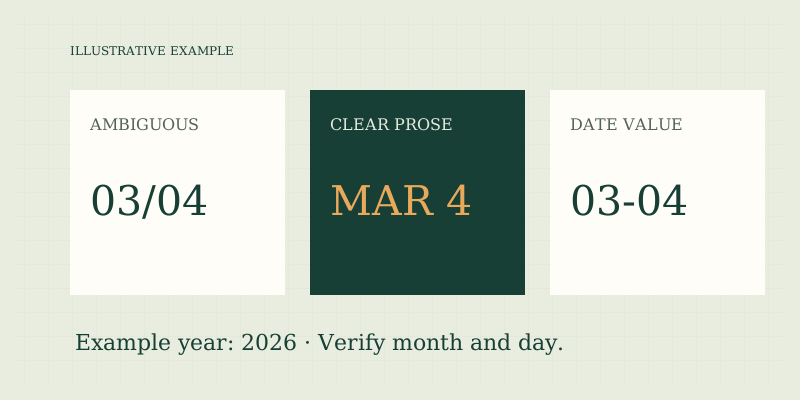
Use a four-digit year and an unambiguous month when sharing a calendar date. A value such as 03/04/2026 can be read differently across locales. The date tool stores dates as year-month-day values and counts calendar dates, not elapsed hours between local timestamps.
Make the date readable across systems
In US prose, March 4, 2026 is clear. For exchanging a date-only value in a structured field, 2026-03-04 preserves the year-month-day order used by this tool. Your browser may display a date input using its locale settings while retaining a year-month-day value internally.
| Illustrative representation | Issue | Safer practice |
|---|---|---|
| 03/04/2026 | Month and day can be reversed | Spell out March 4 |
| 3/4/26 | Adds a two-digit-year ambiguity | Use four digits for year |
| 2026-03-04 | Clear date-only value here | Keep it as a date |
| A date plus a clock time | Incomplete instant without context | Supply time zone when needed |
Do not assume every application parses a date string in the same way. Use its documented format or a native date field, and verify the displayed month after importing data.
Separate a date from an instant
A calendar date describes a day within a calendar system. A timestamp can describe a particular moment, often with a time zone or offset. Turning a date-only value into a timestamp at midnight can introduce a different date when that timestamp is displayed in another time zone. For example, an application that treats a date as midnight in one zone may display the prior evening elsewhere. That is a data-modeling issue rather than evidence that the calendar date itself moved. If your purpose is a birthday, a date label, or a day-count boundary, preserve the date-only meaning rather than attaching a time zone unnecessarily.
Calendar counts do not measure elapsed hours
The calculator counts whole calendar boundaries using the entered dates. It does not ask for a time, city, or time zone. A one-date step therefore remains one calendar-day step even when local clocks change. It cannot determine the exact number of elapsed hours between two local events. If an event starts at 11:30 p.m. and another ends at 12:30 a.m., the elapsed time may be one hour while the events fall on different calendar dates. Conversely, two events on the same date can be many hours apart. Day count and time duration are related concepts but cannot replace one another without additional inputs.
Do not infer a cutoff time
A due date printed without a time may have a cutoff defined elsewhere. It might depend on an office closing time, a platform setting, a contract, or an applicable rule. A date calculator cannot decide whether a submission at a particular instant is timely. For consequential deadlines, identify the controlling authority, exact time, and time zone. Confirm how the system handles daylight-saving transitions and ambiguous local times if relevant. This site does not supply legal or administrative interpretations. Seek clarification from the organization that sets the deadline or an appropriate professional.
Check copied and imported dates
A spreadsheet or form can silently reinterpret numeric dates. Before processing a full list, test a date whose day is greater than 12 and another whose month and day could be reversed. Check the year, leap-day validity, and whether any time component has appeared. The date tool rejects incomplete or impossible dates and years outside 0001–9999. It also rejects an end date earlier than the start rather than silently swapping values. Those safeguards catch some entry errors, but they cannot know whether you intended April 3 when you entered March 4. Human verification of the source remains necessary.
A clear-date checklist
- Preserve a four-digit year.
- Spell out the month in messages intended for mixed audiences.
- Use the documented format for machine-readable exchange.
- Decide whether the value is a calendar date or a timestamp.
- Retain the time zone when an actual instant matters.
- Verify imported dates before calculating a full interval.
- Keep the endpoint convention with any reported day count.
Try the date calculator for date-only intervals. Read date-counting basics for conventions, inclusive days for endpoint labels, and weekdays versus business days for calendar limitations.
Preserve the source when transferring a date
If you copy a date from a letter or schedule, retain the original text alongside your normalized entry until it has been checked. A value entered as 2026-04-03 is syntactically valid even if the source intended March 4. Validation catches impossible dates, not every plausible transcription error. For shared planning, repeat the full month name in the confirmation message so the other person can spot a reversed month and day without needing access to your calculator settings.
FAQ
Does the browser date format change the calculation?
The browser may change how the field is displayed, but the calculation uses its year-month-day value. Verify the selected month and day rather than relying on a screenshot of an unfamiliar locale.
Can this tool convert time zones?
No. It has no time-of-day or zone inputs. Use a dedicated, reliable time-zone tool for actual instants and daylight-saving rules.
Is a date difference the same as hours divided by 24?
Not generally for local timestamps. Calendar dates and elapsed-time measurements have different inputs and conventions. This tool intentionally computes dates only.
Sources
- Sources and methods — date-only data model and supported range.
- US Naval Observatory: Leap Years — calendar rule used for valid Gregorian dates.
Put the method to work.
Open calculator ↗